One workspace. The modules your practice needs.
A core workspace every practice shares, plus modules built around your profession. Switch on what you need now and add the rest later.
The core workspace
The same core for every profession.
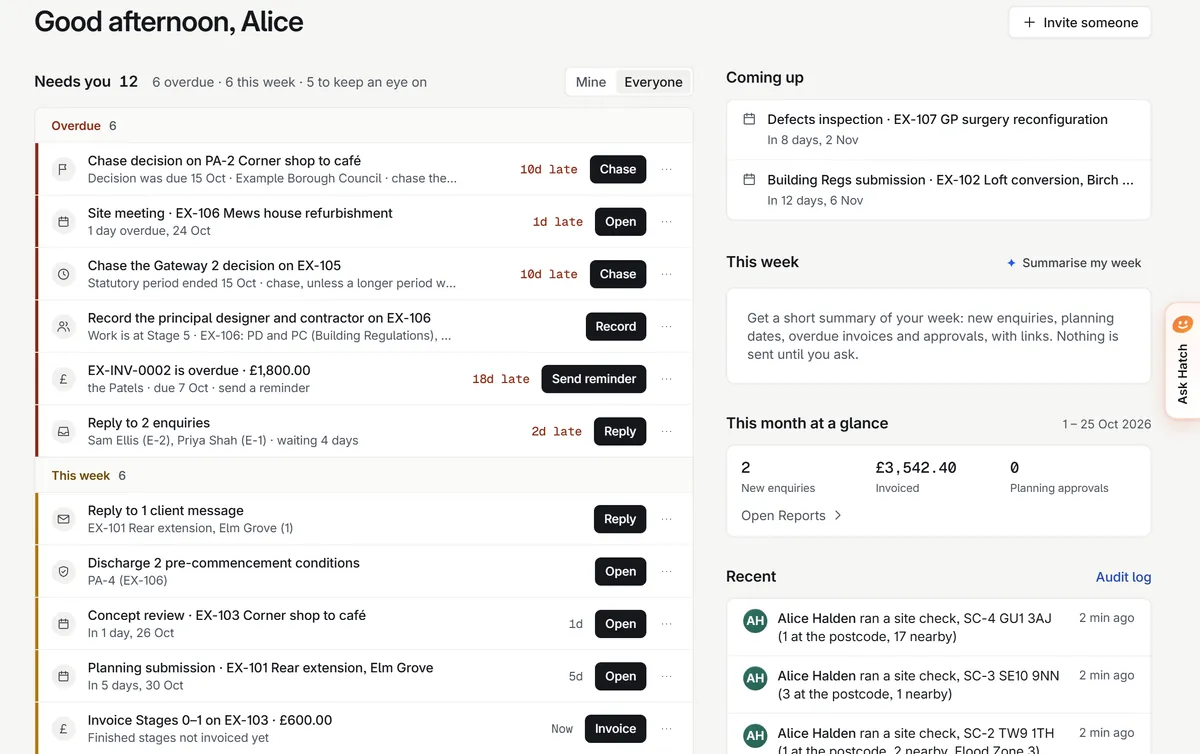
Home
Everything that needs you, in one list: overdue, this week and keep an eye on, each with one button to act. Coming up dates and a month at a glance beside it.
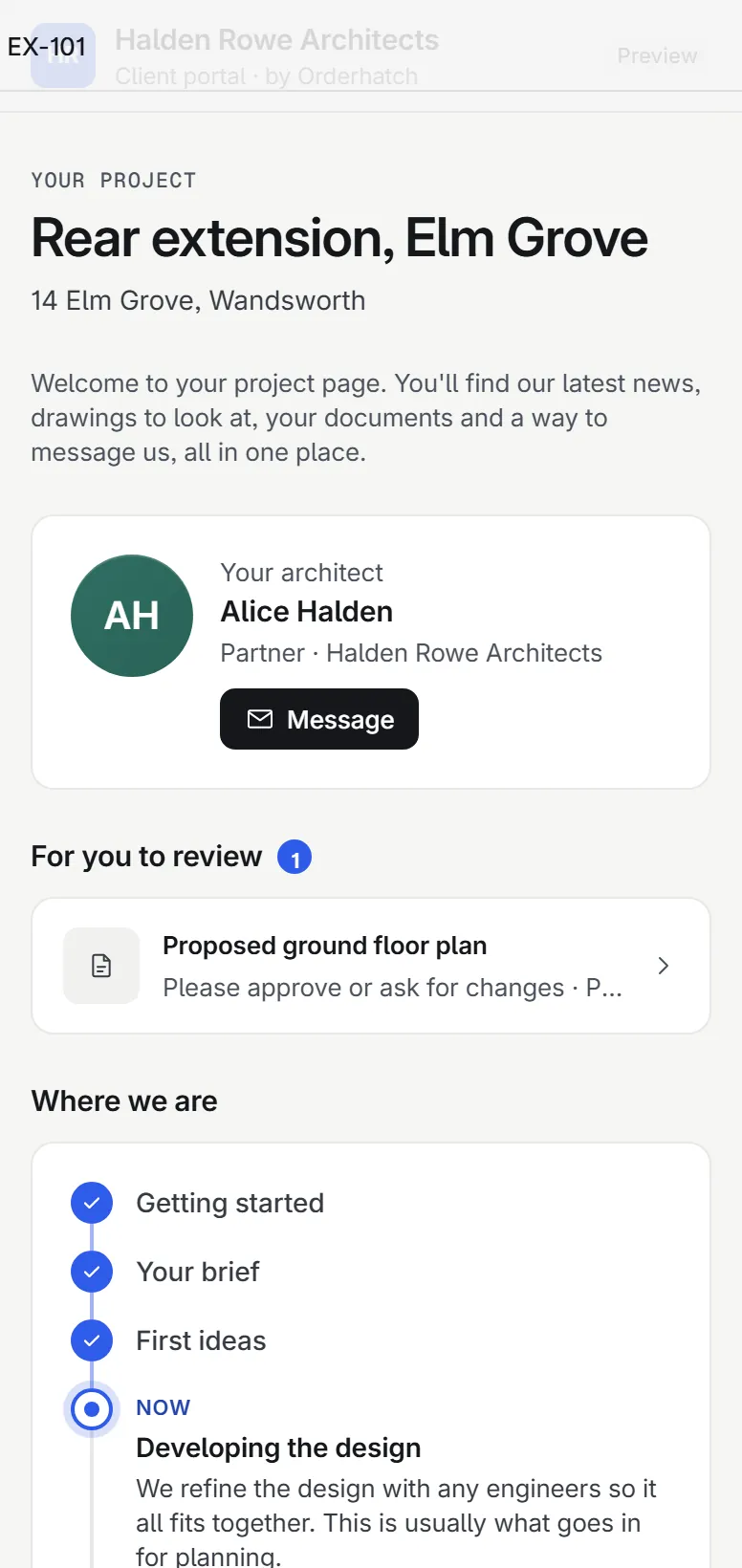
Client portal
A private page for each client: progress in plain English, items to approve, messages, documents and invoices. Clients see only what you share, item by item.
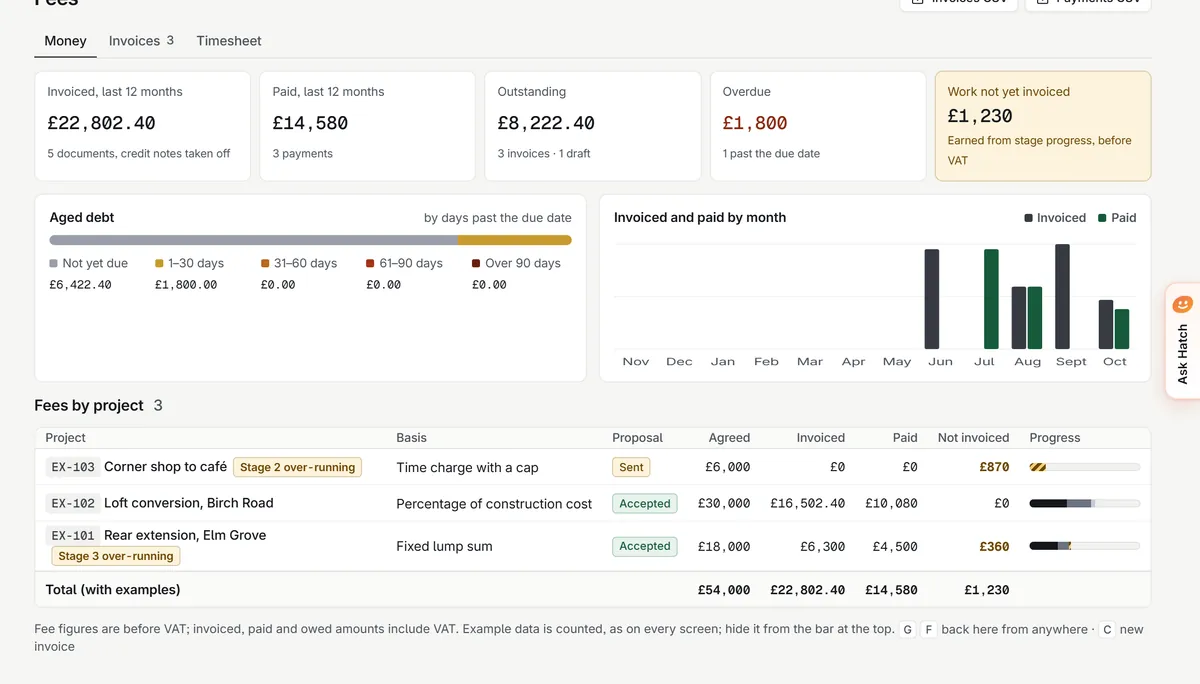
Fees and invoicing
Fee proposals, stage payments and invoices, aged debt and what is still to bill. Invoices lock once issued; corrections are credit notes.
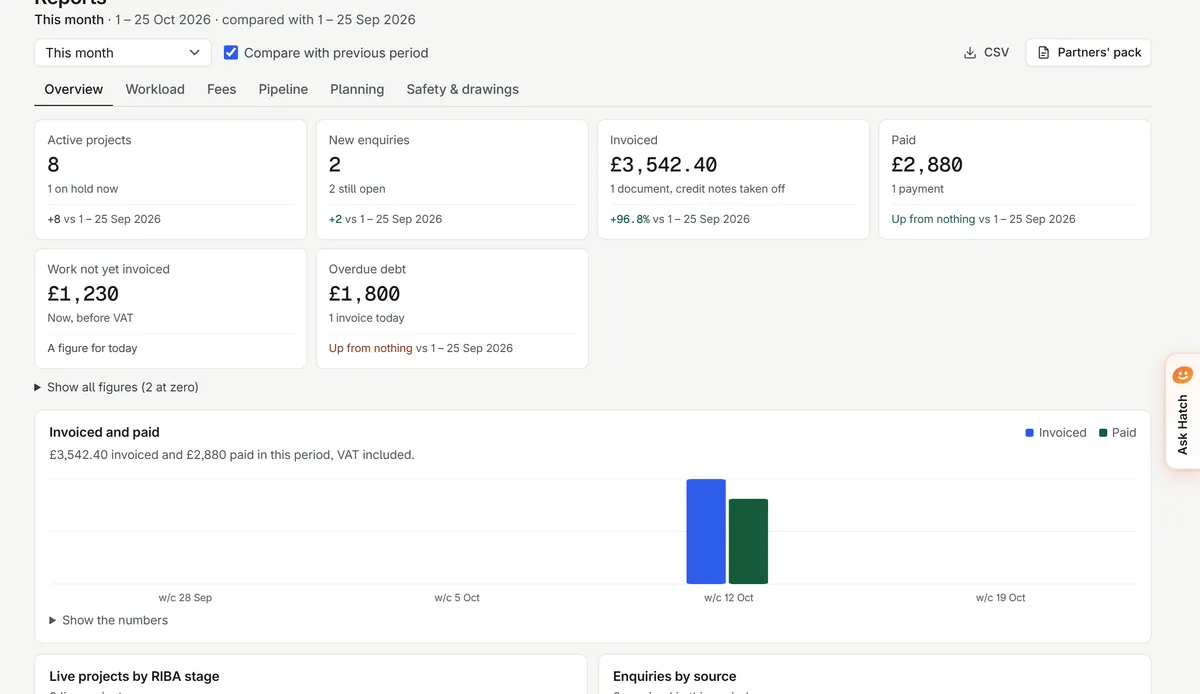
Reports
Workload, fees and progress across the practice, worked out each time you open the page. Print the partners’ pack or save it as a PDF.
Documents
Files kept against the job they belong to, in a private store. Every open or download checks membership first and uses a link that expires after five minutes.
Knowledge base
Your practice’s standards, templates and past answers in one searchable place, with every version kept.
Deadlines
Statutory and client dates worked out from published rules, with the rule shown beside each date.
Hatch and the AI helpers
Answers with links. Drafts for a person to check.
Ask Hatch about your own records and get answers with links to them. The AI helpers draft replies, summaries, actions and client updates. Everything is off until an owner switches it on.
- Hatch only reads, and only sees what you can see
- Email addresses and phone numbers are taken out before anything is sent
- Chats are kept for 30 days
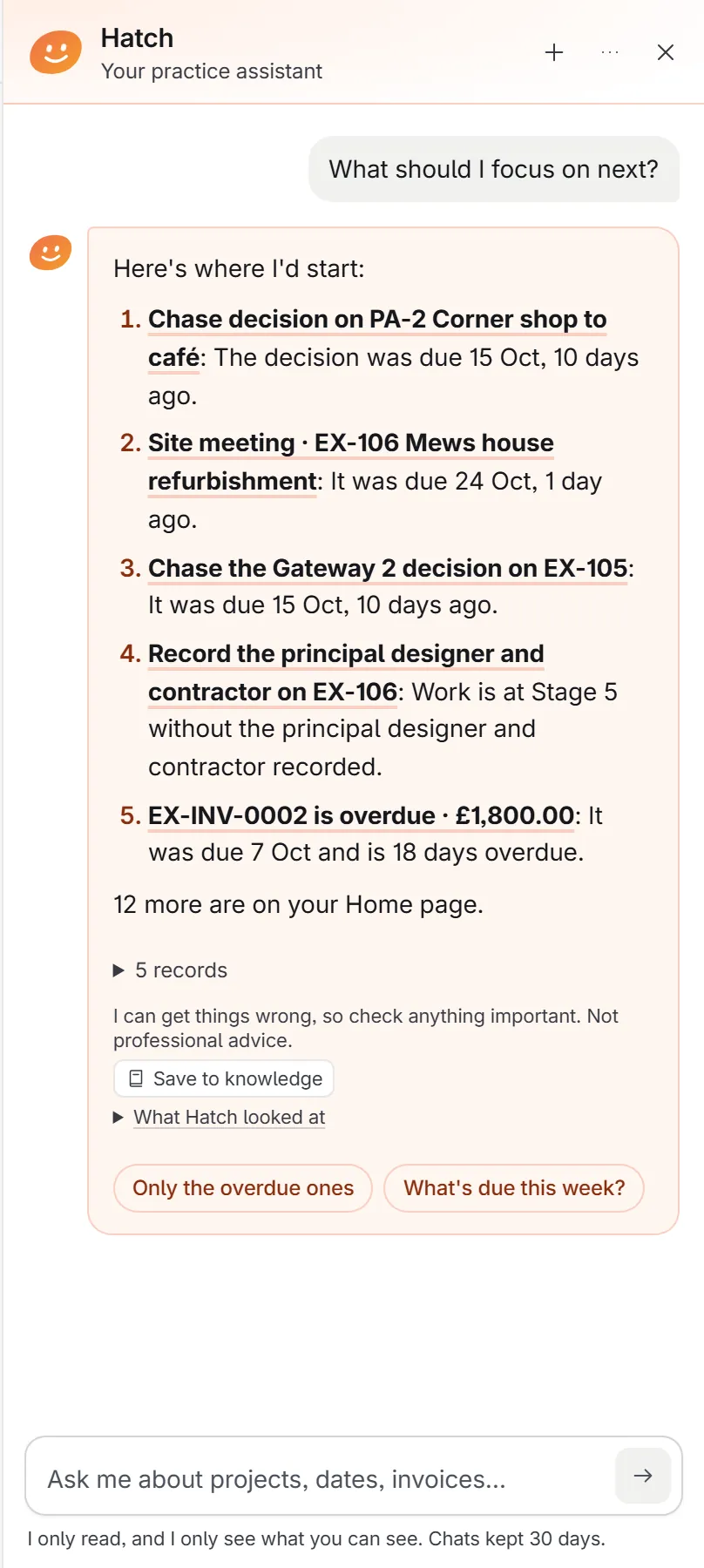
HatchTwo invoices are overdue. Want me to draft a friendly reminder for you to check?
Profession modules
Architecture is first, with deep modules. Nine more professions are next, built with the practices who will use them.
Architects
Built around RIBA stages, ISO 19650 drawing numbers and English planning rules.
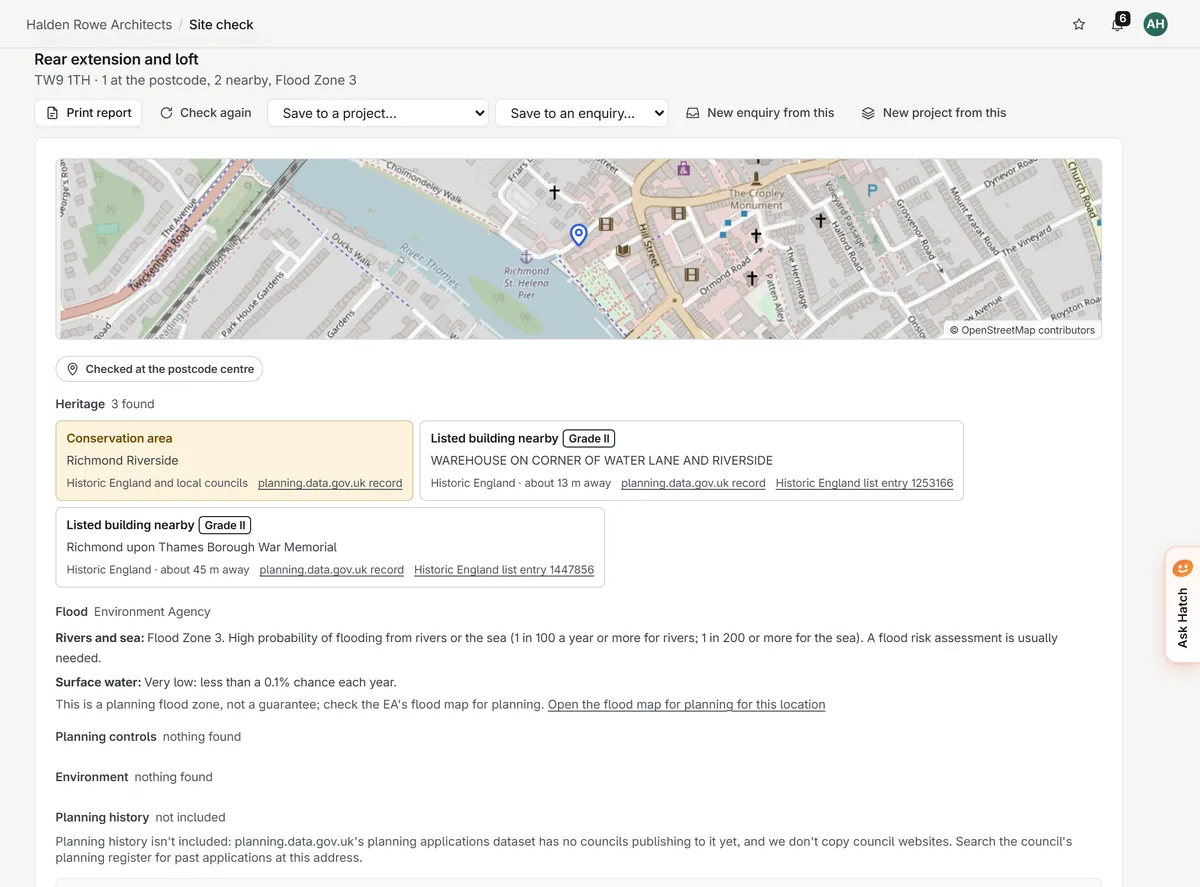
- Site check: a constraints report from a postcode, from free official data, printable in your practice’s name
- Planning: every application with its statutory dates and the conditions register
- Drawings and transmittals: the drawing register, revisions, issue sheets and the issue matrix
- Building Safety: duty holders, competence evidence and gateways, as a record-keeping aid
- Projects and RIBA stages: every job from Stage 0 to Stage 7
Coming next
- AccountantsChasing clients for records, deadlines by client, one screen for the partner.Being built with practices
- Letting & estate agentsApplications and offers, compliance certificates, landlords kept in the loop.Being built with practices
- SurveyorsSite notes and photos into reports you edit and sign.Being built with practices
- SolicitorsClient onboarding with ID and anti-money laundering checks.Being built with practices
- IFAs & wealth managersAnnual reviews prepared, chased and recorded.Being built with practices
- RecruitmentRoles, candidates and shortlists without the CV pile.Being built with practices
- ClinicsRecalls and follow-ups that book themselves.Being built with practices
- Planning consultantsConstraints and policy by postcode, before you quote.Being built with practices
- Construction & M&EVariations recorded with photo evidence, on site.Being built with practices
Speak to us about your practice.
A short conversation with Devon, who built it, by WhatsApp or email. You get a walkthrough on example projects or your own.