The friendly workspace for professional practices
Work, deadlines, documents, clients and fees in one place, with modules built around your profession.
Architecture modules are available now. Nine more professions are being built with the practices who will use them.
One place for the work that keeps a practice running
The same core workspace for every profession, so the whole team works from one list.
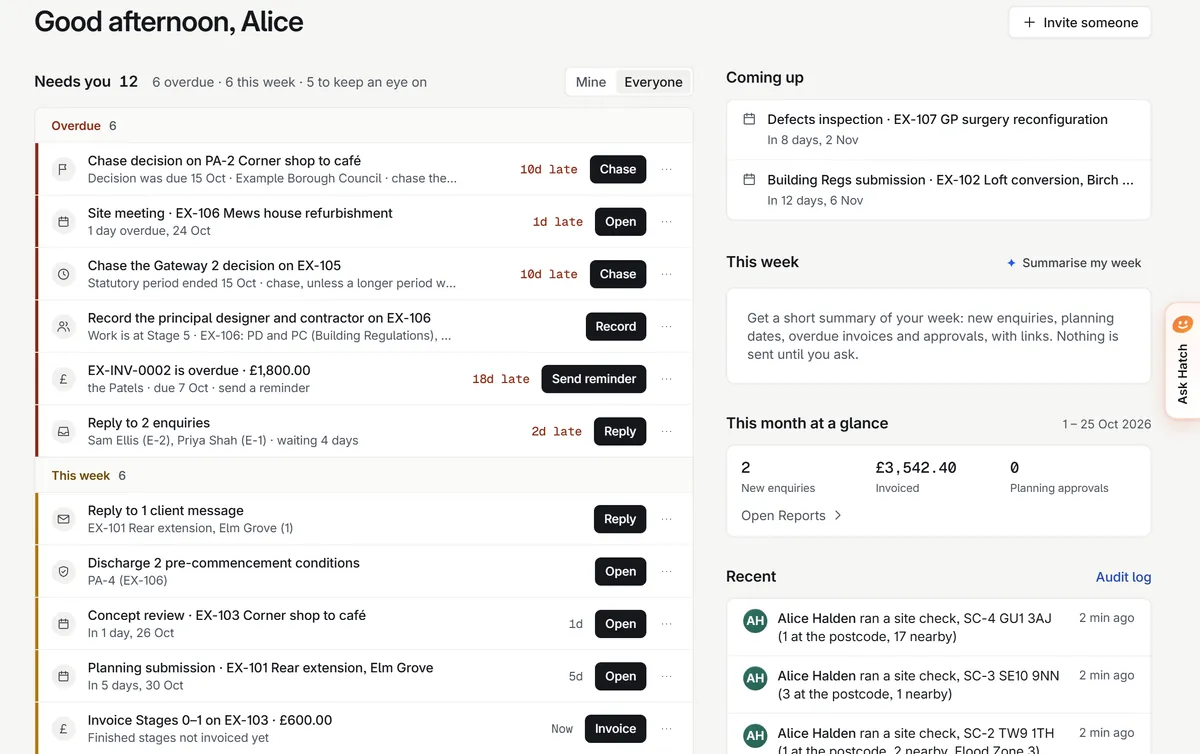
Needs you
One list of what needs you today: overdue, this week and worth keeping an eye on, each with one button to act.
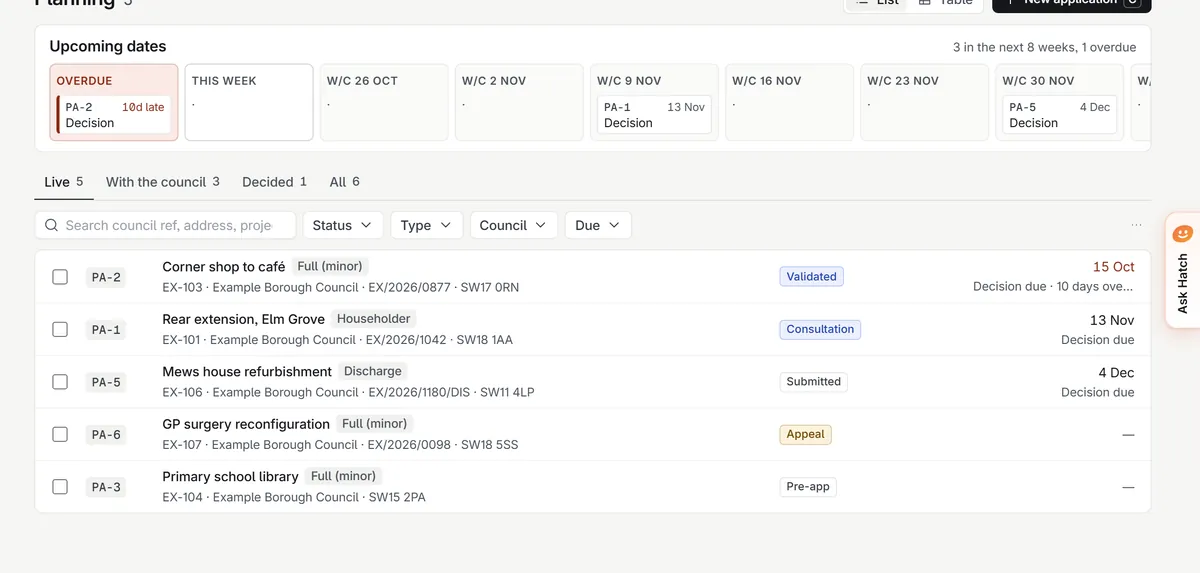
Deadlines and compliance
Statutory and client dates worked out for you, with the rule they come from, and an audit log of every change.
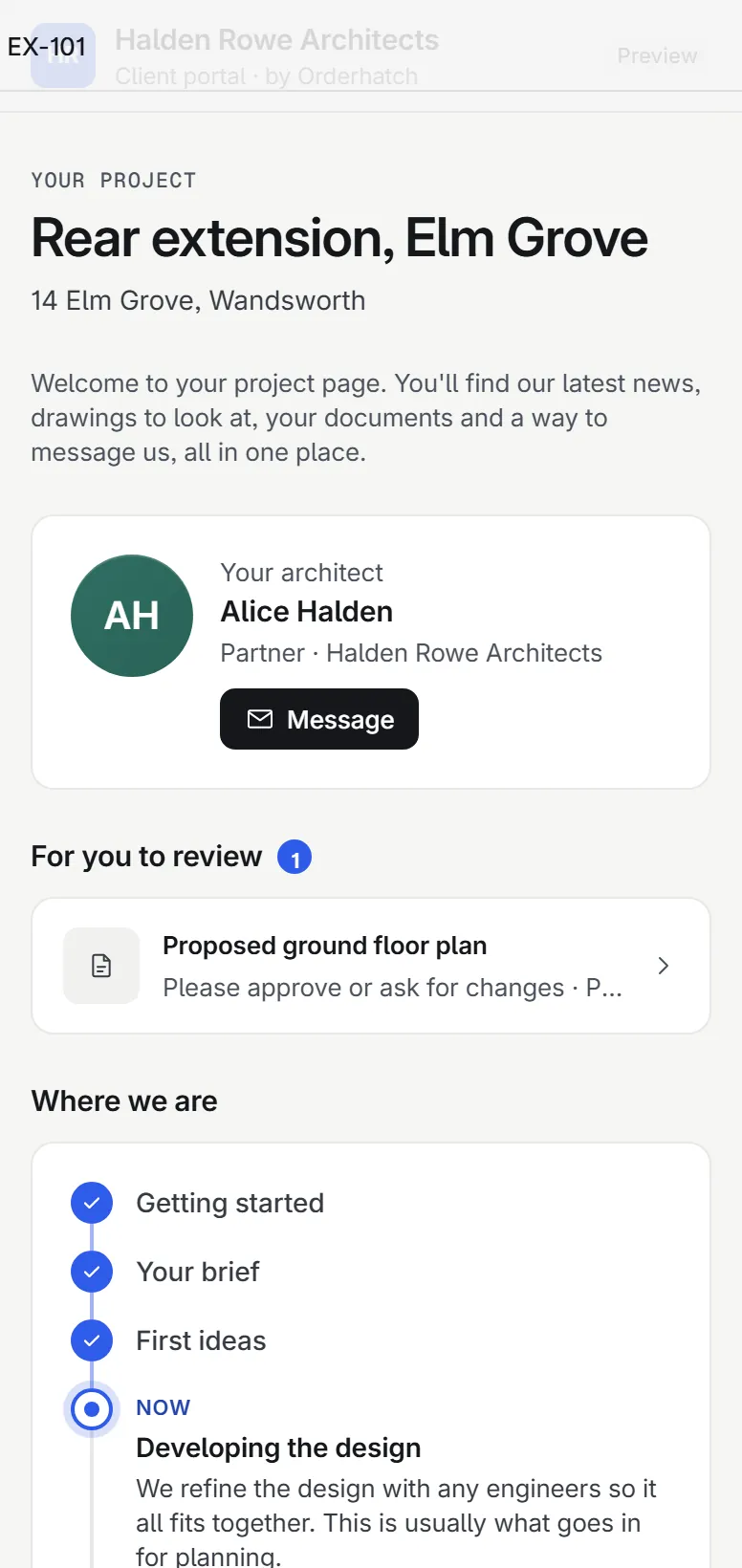
Documents and client portal
Private files with links that expire, and a portal where clients see progress in plain English and approve things.
Fees and reports
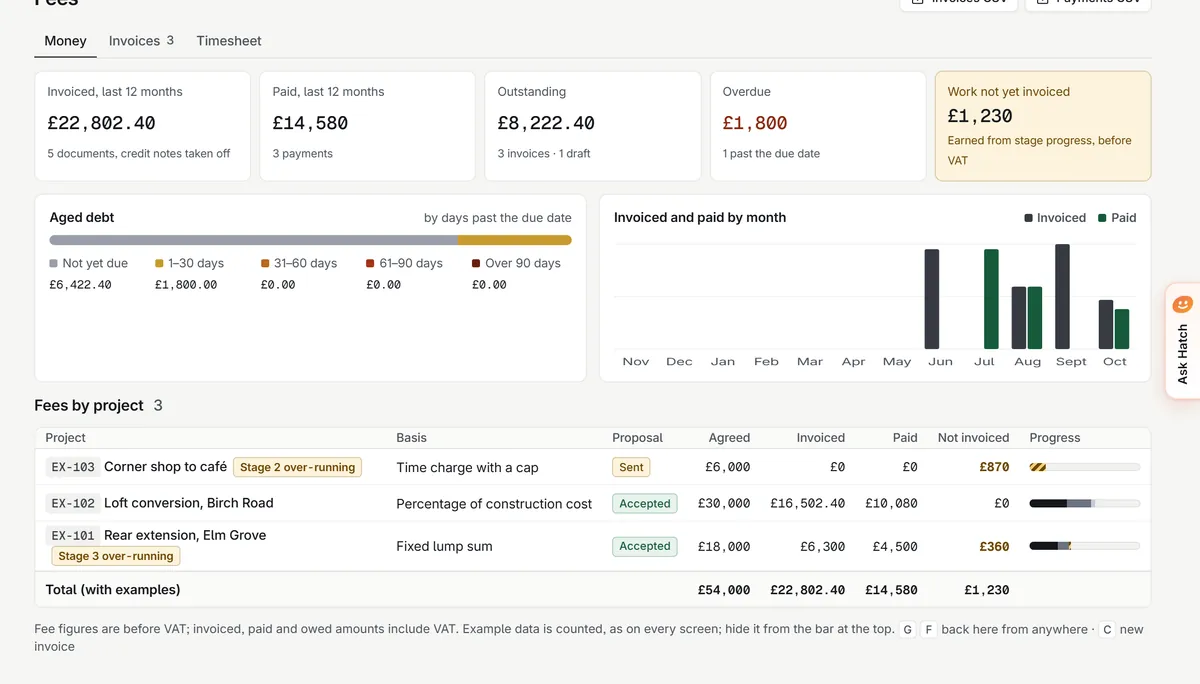
Proposals, invoices and what is still to bill, and a partners’ pack worked out when you open it.
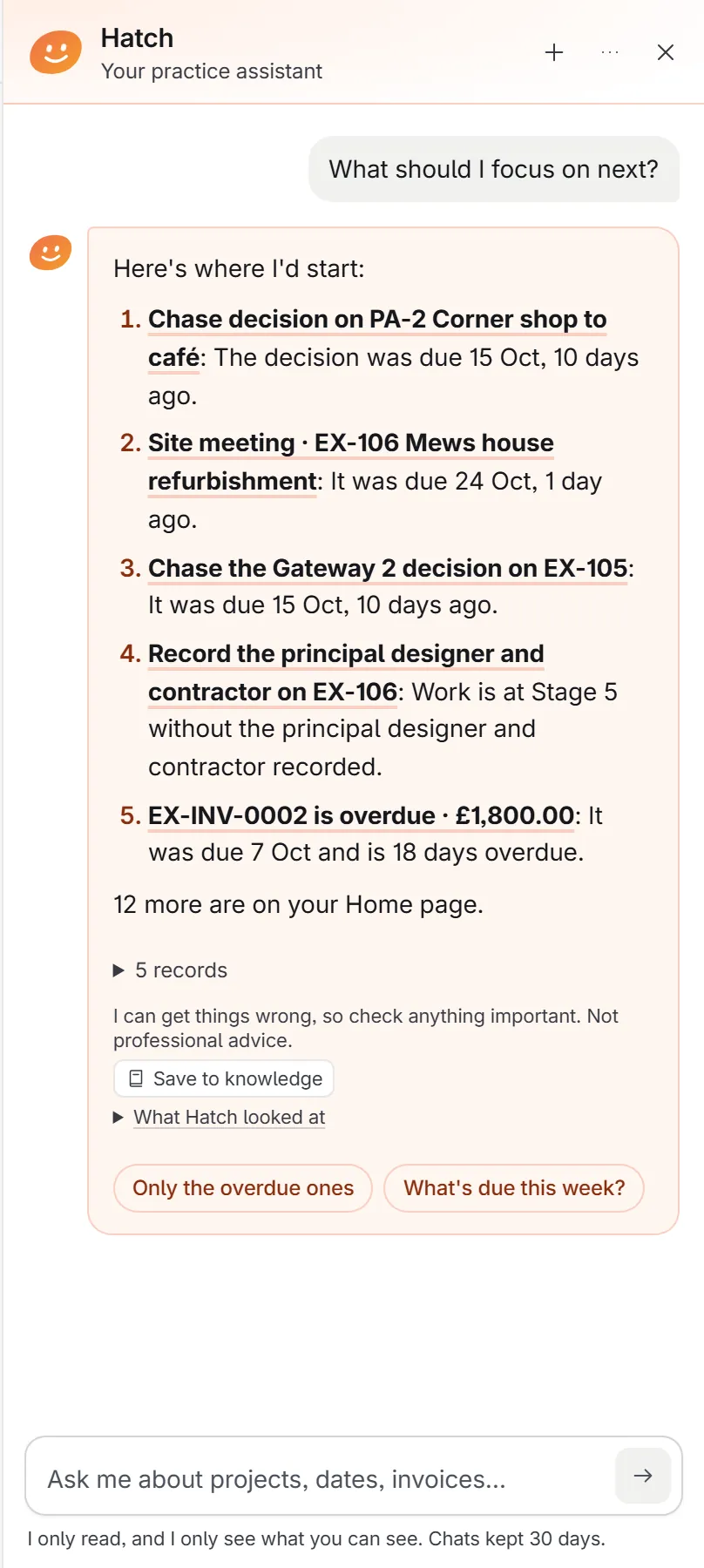
Meet Hatch, your practice assistant
Ask about your own records.
“What should I focus on next?” Hatch looks it up as you and answers with links to the records. It only reads, it only sees what you can see, and a person checks every draft.
More about HatchHatchSix things are overdue. Shall I start with the planning decision?
Start with the core. Add your profession.
Each profession gets the words, dates and documents it actually uses. Architecture is first.
Architects
Site check, planning dates, drawing registers and Building Safety. Available now.
- Your profession’s words, dates and documents
- The same core: Needs you, deadlines, portal, fees
- Hatch answers with links to your records
Accountants
Chasing clients for records, deadlines by client, one screen for the partner.
- Your profession’s words, dates and documents
- The same core: Needs you, deadlines, portal, fees
- Hatch answers with links to your records
Letting & estate agents
Applications and offers, compliance certificates, landlords kept in the loop.
- Your profession’s words, dates and documents
- The same core: Needs you, deadlines, portal, fees
- Hatch answers with links to your records
Surveyors
Site notes and photos into reports you edit and sign.
- Your profession’s words, dates and documents
- The same core: Needs you, deadlines, portal, fees
- Hatch answers with links to your records
Solicitors
Client onboarding with ID and anti-money laundering checks.
- Your profession’s words, dates and documents
- The same core: Needs you, deadlines, portal, fees
- Hatch answers with links to your records
IFAs & wealth managers
Annual reviews prepared, chased and recorded.
- Your profession’s words, dates and documents
- The same core: Needs you, deadlines, portal, fees
- Hatch answers with links to your records
Recruitment
Roles, candidates and shortlists without the CV pile.
- Your profession’s words, dates and documents
- The same core: Needs you, deadlines, portal, fees
- Hatch answers with links to your records
Clinics
Recalls and follow-ups that book themselves.
- Your profession’s words, dates and documents
- The same core: Needs you, deadlines, portal, fees
- Hatch answers with links to your records
Planning consultants
Constraints and policy by postcode, before you quote.
- Your profession’s words, dates and documents
- The same core: Needs you, deadlines, portal, fees
- Hatch answers with links to your records
Construction & M&E
Variations recorded with photo evidence, on site.
- Your profession’s words, dates and documents
- The same core: Needs you, deadlines, portal, fees
- Hatch answers with links to your records
How plans work
No bundles you do not need. Start small and add more as you grow.
- 1
Start with the core
Needs you, deadlines, documents, the client portal, fees and reports. The same for every practice.
- 2
Add your profession
Switch on the modules built for your work. For architects today: Site check, Planning, Drawings and Building Safety.
- 3
Switch on Hatch when you are ready
Hatch and the AI helpers stay off until an owner turns them on. Every draft is for a person to check.
Your practice’s data stays yours
Every line here is true of the app today.
Walled off
Each practice’s data is kept apart by the database itself, with row-level security tested on every change.
An audit log nobody can edit
Who changed what and when. If anyone at Orderhatch opens your workspace, that visit is shown to you.
AI that does not train on your data
AI is off until an owner switches it on. Anthropic’s commercial terms say they may not train models on this content.
Yours to take
Owners can export the workspace’s records as spreadsheet files at any time.
Speak to us about your practice.
A short conversation with Devon, who built it, by WhatsApp or email. You get a walkthrough on example projects or your own.